

Release Notes 3.1.1
What’s new
Section titled “What’s new”Improved performance for animated SVGs
Section titled “Improved performance for animated SVGs”Rendering performance has been improved for animated elements using SVG's as mask-image, background-image, or <img/> tags by dynamically adjusting SVG surface cache re-use tolerances. This effectively eliminates unnecessary re-rendering, which has been shown to drop GPU processing times without impacting visual quality.
SVG shape based hit testing
Section titled “SVG shape based hit testing”Added complete support for the pointer-events property
Section titled “Added complete support for the pointer-events property”Previously, Gameface did not support precise shape-based hit-testing inside <svg> elements. Hits were evaluated against the rectangular bounding box of the <svg> element as a whole, and individual SVG shapes (such as <path>, <circle>, or <rect>) were not returned by hit-testing or JavaScript APIs. Additionally, SVG-specific values for the pointer-events CSS property (such as stroke, fill, visiblePainted, etc.) were not supported.
With this release, inline SVG elements now fully support precise shape-based hit-testing and the pointer-events property. Hit-testing is now calculated against the actual geometry of SVG shapes rather than their rectangular bounding boxes. This makes it possible to base JavaScript logic on precise shape hits (for example, triggering actions only when clicking the stroke or fill of an intricate vector path).
<!DOCTYPE html><html>
<head>    <style>        svg {            position: absolute;            width: 100px;            height: 100px;            top: 0px;            left: 0px;            pointer-events: none;            background-color: rgba(255, 0, 0, 0.5);        }
        #strokeHittable {            pointer-events: stroke;        }    </style></head>
<body>    <svg xmlns="http://www.w3.org/2000/svg" width="100" height="100" viewBox="0 0 100 100" preserveAspectRatio="none">        <circle id="strokeHittable" cx="50" cy="50" r="25" stroke="orange" stroke-width="10" />        <circle id="notHittable" cx="50" cy="50" r="25" stroke="red" stroke-width="10" />    </svg>
    <script>        const svg = document.querySelector("svg");        const circle = svg.querySelector("circle");
        svg.addEventListener("click", e => {            console.log(e.target);        });    </script></body>
</html>
In the page above the following can be observed when clicking at various locations.
| Click Location | Result |
|---|---|
| x=5 y=50 | Nothing is logged, as we have clicked outside of the circles, the <svg/> doesn't accept hits there and no events are dispatched. |
| x=25 y=50 | The <circle id="strokeHittable"/> is logged as we have clicked on its stroke, it accepts hits and an event is dispatched. |
| x=50 y=50 | Nothing is logged, as we have clicked on the fill of circles, nothing accepts hits there and no events are dispatched. |
The elementFromPoint and elementsFromPoint functions now collect SVG nodes
Section titled “The elementFromPoint and elementsFromPoint functions now collect SVG nodes ”Gameface now also collects SVG nodes in the elementFromPoint and elementsFromPoint JavaScript calls.
<!DOCTYPE html><html id="anHTML">
<head>    <style>        svg {            position: absolute;            width: 100px;            height: 100px;            top: 0px;            left: 0px;        }
        div {            position: absolute;            width: 100px;            height: 100px;            top: 0px;            left: 0px;            background-color: rgba(255, 0, 0, 0.5);        }    </style></head>
<body>    <div id="aDiv"></div>
    <svg id="anSvg" xmlns="http://www.w3.org/2000/svg" width="100" height="100" viewBox="0 0 100 100"        preserveAspectRatio="none">        <circle id="anOrangeCircle" cx="50" cy="50" r="25" stroke="orange" stroke-width="10" />        <circle id="aRedCircle" cx="50" cy="50" r="25" stroke="red" stroke-width="10" />    </svg>
    <script>        // Ensure layout has finished.        requestAnimationFrame(() => {            requestAnimationFrame(() => {                console.log(`document.elementsFromPoint(50, 50) = [ ${document.elementsFromPoint(50, 50).map(el => el.id).join(", ")} ]`);                console.log(`document.elementFromPoint(50, 50) = ${document.elementFromPoint(50, 50).id}`);            });        });    </script></body>
</html>
Running the page above will log the following as all SVG elements accept pointer events. Therefore, as the <div/> and the <svg/> overlap, all elements will be in elementsFromPoint and their order will be the paint order.
Info: document.elementsFromPoint(50, 50) = [ aRedCircle, anOrangeCircle, anSvg, aDiv, anHTML ]Info: document.elementFromPoint(50, 50) = aRedCircleGenerate unique text nodes for whitespaces requested by JS
Section titled “Generate unique text nodes for whitespaces requested by JS”Modern frameworks like Svelte and SolidJS rely on fine-grained reactivity, caching direct references to DOM elements to render efficiently. Previously, Gameface optimized performance by sharing a single whitespace node across JavaScript queries, which inadvertently interfered with how these frameworks handle updates. To ensure seamless compatibility, Gameface now generates unique Text nodes for whitespace elements whenever they are accessed via DOM traversal APIs (such as firstChild and nextSibling). As a result, reactive text updates in these frameworks now work as expected.
Rendering
Section titled “Rendering”Optimize GPU memory by reusing internal textures
Section titled “Optimize GPU memory by reusing internal textures”Gameface's rendering library now informs backends whether a texture's contents are only needed during the rendering execution that created them. Such textures can be fetched from your engine's Render Target pool when they are needed and immediately returned at the end of the frame. By releasing these textures back to the pool, other engine subsystems can share and reuse the same physical memory, reducing the overall GPU memory footprint. If your engine lacks a texture pooling mechanism, you can safely ignore this feature and continue using standard persistent allocations without affecting rendering. For more information see Reusing internal textures in custom engines.
Assign a Custom Global Backdrop filter
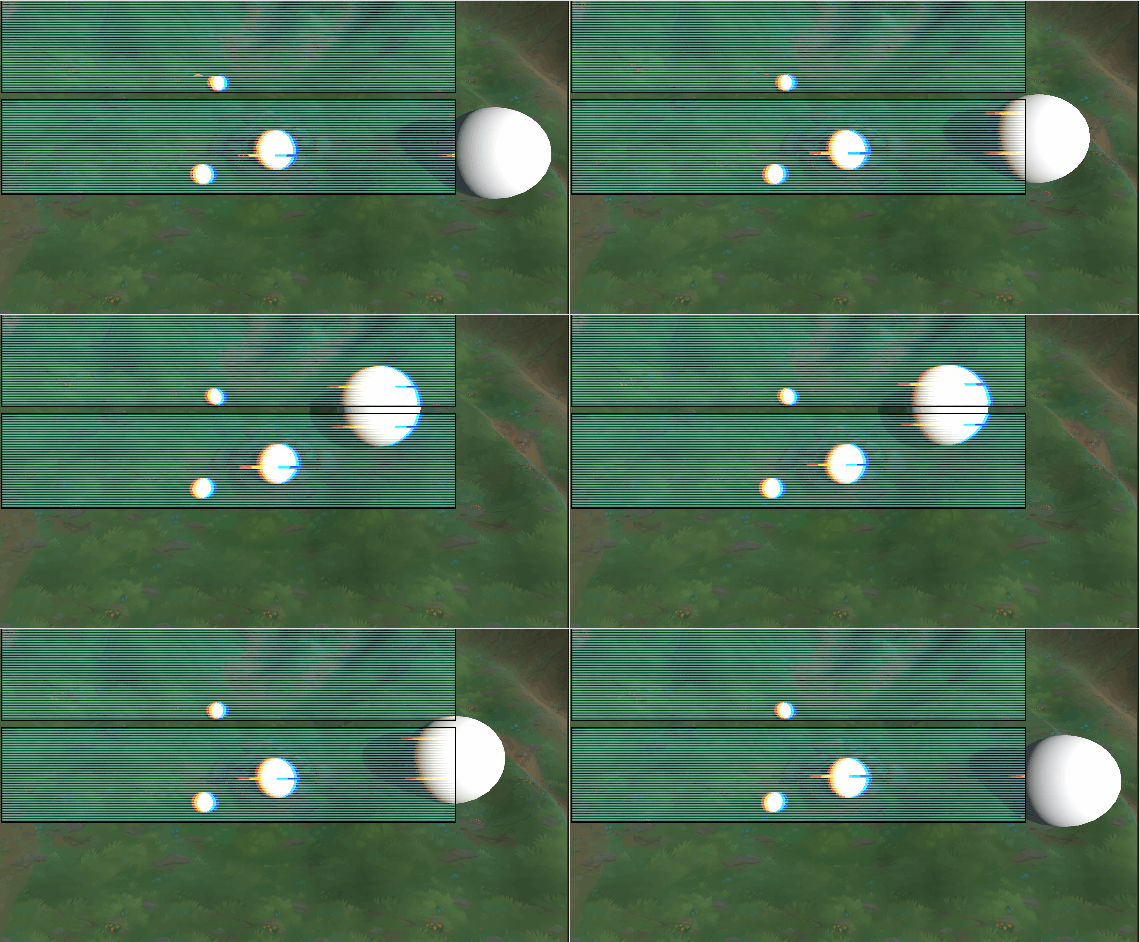
Section titled “Assign a Custom Global Backdrop filter”If you want to achieve unique aesthetic effects — such as frosted glass, chromatic aberration, or holographic distortion — you can completely replace the default blur by providing a custom implementation. For more info you can check the Global Backdrop Filter page.
Font loading Memory Optimization
Section titled “Font loading Memory Optimization”Previously, Gameface relied on Unity's Resources.LoadAll API to load fonts from a Resources/Fonts folder, which forced the entire binary data of all fonts into RAM at once. Gameface now natively streams font files directly from the disk using partial reads. This drastically reduces the memory footprint of the UI. See more in Font Preloading page.
A new OnNativeSystemCreated event has been added to the CohtmlUISystem component. This event fires the exact moment the native plugin IUISystem is successfully initialized, providing a safe, race-condition-free entry point to configure the native system before any views begin rendering.
Migration guide
Section titled “Migration guide”Unity3D: BlurRadius Removed from CohtmlView component
Section titled “Unity3D: BlurRadius Removed from CohtmlView component”The BlurRadius property has been removed from CohtmlView to decouple the core view from specific filter implementations. It now lives inside the default GlobalBackdropBlurFilter class. If you need to change the blur radius at runtime while using the default effect, you can access it through the renderer's active filter:
if (view.Renderer?.GlobalBackdropFilter is GlobalBackdropBlurFilter defaultFilter){ defaultFilter.BlurRadius = 12;}Renamed and fixed InspectorNetworkTabMode
Section titled “Renamed and fixed InspectorNetworkTabMode”The InspectorNetworkTabMode enum was renamed to InspectorContextMode. You can now use it to enable or disable all tabs in the inspector, which require JS context (Console, Network, Performance, Memory). Before only the Network tab could be enabled/disabled.
Note: The Elements tab is unaffected by the option.
By default the option is set to Enabled.
Previously, a bug caused InspectorContextMode to be ignored, meaning tabs behaved as if AlwaysEnabled were set. As a result, error messages were collected and output to the Console tab even with no inspector connected. Now, by default, errors and messages will only appear once the inspector is connected.
If your workflow relies on errors and messages being available before an inspector connects, set InspectorContextMode to AlwaysEnabled.
Unity3D: Preloaded Fonts Loading Changes
Section titled “Unity3D: Preloaded Fonts Loading Changes”Because of the new memory font loading optimizations, Gameface no longer automatically preloads fonts from the Resources/Fonts folder. If your project relied on this automatic loading, your text may disappear or fall back to the fallback font after updating. To migrate to the new, memory-efficient font pipeline:
- Relocate your Font Files: Move your font files out of
Resources/Fontsand place them into yourStreamingAssets/Cohtml/UIResources/Fontsfolder (or wherever your UI assets are hosted). - Restore Native File Extensions (Optional): You no longer need to rename your fonts to
.bytesto trick Unity's Resource system. You can rename them back to their native .ttf or .otf extensions. - Load Fonts via CSS (Recommended): The recommended way to use fonts in Gameface is by using
@font-facedeclarations directly in your CSS. If you previously relied on Unity auto-loading your fonts globally, you should update your stylesheets to load them locally via@font-face. - Register Fonts Manually: If you need to preload fonts or cannot use
@font-face, you must explicitly register your fonts via theCohtmlUISystemAPI when the UI system initializes.
Changing the default color space for rendering to sRGB
Section titled “Changing the default color space for rendering to sRGB”Previously, Gameface dynamically determined the rendering color space based on the format of the bound render target. In release 3.1, Gameface defaults to sRGB output (gamma space), and the linear rendering pipeline is officially deprecated.
This change stems from the fact that linear blending causes unexpected visual discrepancies for UI design. Modern web browsers, standard UI frameworks, and design tools (such as Figma) natively blend layers, text, and gradients in sRGB (gamma) space; forcing a linear pipeline causes transparencies and colors to look washed out compared to the original assets. By moving exclusively to an sRGB gamma-space pipeline, we ensure consistent blending behavior and a 1:1 match between your design tools and the final in-game result.
To ease the transition, we have introduced a compatibility flag: cohtml::CompatibilityFlags::VCF_AutoDetectColorSpaceFromRenderTarget. Enabling this flag temporarily restores the legacy, render-target-backed behavior while you update your integration.
For most integrations, the most straightforward migration path is to let Gameface handle internal rendering in gamma space while keeping your subsequent composition passes unchanged:
-
Bind a Non-sRGB Render Target Format to
SetRenderTarget()If you currently pass an
_SRGBrender target view tocohtml::ViewRenderer::SetRenderTarget(), switch it to its non-_SRGBequivalent (e.g., transition fromrenoir::PF_R8G8B8A8_SRGBtorenoir::PF_R8G8B8A8, or fromDXGI_FORMAT_R8G8B8A8_UNORM_SRGBtoDXGI_FORMAT_R8G8B8A8_UNORM).This ensures Gameface writes gamma-encoded values directly. If you keep an
_SRGBformat bound here, the GPU will apply hardware sRGB encoding on top of Gameface's gamma output, resulting in double gamma correction. -
Keep Post-Composition Passes Unchanged (With Exceptions for HDR Formats)
The texture written by Gameface will now explicitly contain gamma-encoded values. If your subsequent composition passes already sample this texture via an
_SRGBShader Resource View (SRV), the hardware will automatically decode it to linear values during sampling. No changes are needed here.- Handling HDR Formats (
PF_R16G16B16A16andPF_R32G32B32A32): Previously, Gameface wrote linear values into these high-bit-depth formats. Following this change, gamma-encoded values will be written instead. Because these formats do not support native_SRGBShader Resource Views for hardware decoding, you must manually perform anSRGBToLinearconversion in your sampling/composition shader to continue using them as before.
- Handling HDR Formats (
-
Update Custom Shaders (if applicable)
If you use Gameface's provided shaders, no action is required. When images or external texture resources do not match the current pipeline mode, Gameface automatically raises the appropriate
PSAFflags, and the shaders handle converting them to the target color space before executing any blending operations.However, if you are using custom shaders, you will need to mimic this logic and update your color space transformations:
- Remove sRGB -> Linear conversions: The
PSAF_LinearColorSpaceflag will no longer be active. You can safely remove shader code that converts sampled textures from sRGB to Linear (e.g.,SRGBToLinearinvocations). - Add Linear -> sRGB conversions: For any input textures that are explicitly authored or stored in Linear color space, you must now convert them to sRGB space within your shader (e.g., using
LinearToSRGB).
- Remove sRGB -> Linear conversions: The
Consolidated URL accessor on IAsyncResourceRequest
Section titled “Consolidated URL accessor on IAsyncResourceRequest”The cohtml::IAsyncResourceRequest interface previously had two methods that both returned the absolute URL — GetURL() and GetAbsoluteURL() — creating ambiguity about which to use. These have been consolidated into a single GetURL(), which will always return the absolute URL of the request.
If you were using GetAbsoluteURL(), replace it with GetURL(). Behavior is unchanged.
Changelog
Section titled “Changelog”Version 3.1.1
Section titled “Version 3.1.1”| API | Deprecated the linear rendering pipeline and removed automatic mode selection based on the render target. Rendering now defaults to the gamma pipeline with the sRGB color space and gamma blending, and users should migrate to gamma mode using the migration guide |
| API | Simplified the URL API by removing the less-used |
| API | Extended the Network tab settings into resource collection settings for better control over tracked resources during inspection |
| Feature | Added shape-based hit testing for SVG content, enabling interaction based on the visible shape of graphics |
| Feature | Enabled GPU resource reuse by providing more information about created GPU resources. Added a special flag for some backend textures that marks them as temporary |
| Feature Unreal Engine | Added official support for Unreal Engine 5.8 |
| Enhancement | Improved style resolution performance by resolving only changed properties and checking at the domain level instead of iterating over everything. |
| Enhancement | Improved performance markers by attaching better contextual data to each marker |
| Enhancement | Improved animated SVG performance by optimizing drawing surface cache reuse for background-image, mask-image, and |
| Enhancement | Added new GPU memory statistics fields for internal textures to provide insight into the usage frequency of a given resource |
| Enhancement | Added support for |
| Enhancement | Added full support for the |
| Enhancement | Made |
| Enhancement | Made |
| Enhancement | Reduced overhead when a backdrop mask texture is set but no elements use backdrop filters |
| Enhancement | Extended custom effect float parameter handling to 16 parameters |
| Enhancement | Added handling for all sRGB DXGI texture formats in the DDS file decoding logic |
| Enhancement | Reduced the amount of mandatory options required to be passed when initializing Gameface |
| Enhancement | Forwarded V8 failures and check failures to the client log handler |
| Enhancement | Made content-related messages to appear in the inspector console |
| Enhancement | Added drag-and-drop functionality to the Player's bookmarks bar. |
| Enhancement | Added saving of the Player application's position and size between runs when using the GUI |
| Enhancement | Added IME support to the Player application |
| Enhancement | Introduced a cross-platform |
| Enhancement | Added a parallax UI sample |
| Enhancement Unity | Optimized GPU texture memory usage by utilizing the render target pool for temporary textures |
| Enhancement Unity | Added a new event that notifies subscribers immediately after the native |
| Enhancement Unity | Simplified font loading in Unity3D |
| Enhancement Unity | Added documentation and a sample for resource preloading in Unity3D |
| Enhancement Unity | Improved the provided C# backend in the Unity integration to allow multiple paths to be drawn at once |
| Enhancement Unreal Engine | Optimized GPU texture memory usage by utilizing the render target pool for temporary textures |
| Enhancement Unreal Engine | Added the ability to specify absolute paths for Resource Host Locations |
| Enhancement Unreal Engine | Improved the CPU performance of Paint calls by 10% by executing commands immediately |
| Fix | Made reactive variables that set element text content to work in Svelte |
| Fix | Made the |
| Fix | Fixed sporadic crashes when inspecting SVG nodes through the inspector |
| Fix | Fixed a Win32-specific V8 crash when obtaining the current isolate. |
| Fix | Fixed a crash caused by incorrect ruleset IDs when copying rulesets |
| Fix | Fixed a crash that could occur when removing styles containing keyframe rules that share the same name |
| Fix | Fixed a crash that could occur when removing styles containing font-face rules that share the same font description (font-family, font-style, font-weight) |
| Fix | Fixed a crash that could occur when removing a |
| Fix | Fixed a crash in UnloadDocument when an immediate layout was invoked just beforehand |
| Fix | Fixed a potential crash when a user background is set but no view renderer is created |
| Fix | Fixed a bug in calculating the byte size of textures with multiple mip levels that caused crashes in the native DX11 backend |
| Fix | Fixed a crash when editing style elements in templates before adding them to the DOM |
| Fix | Fixed a crash while style matching descendants |
| Fix | Fixed a bug in the native Vulkan backend that caused crashes when using the GPU path tessellator |
| Fix | Fixed box-shadow anti-aliasing caused by subpixel positioning. |
| Fix | Fixed an inaccurate box-shadow blur calculation that resulted in a smaller blur radius |
| Fix | Fixed incorrect box-shadow rendering when both offsets and spread are specified. |
| Fix | Fixed incorrect box-shadow rendering with subpixel parameters. |
| Fix | Fixed incorrect inset box-shadow rendering when its size adds up to an odd number. |
| Fix | Fixed incorrect box-shadow rendering when it has negative spread and a rounded shape. |
| Fix | Fixed blurred box-shadows incorrectly clipping inside the element's border box when the element has a semi-transparent background-color. |
| Fix | Fixed inset box-shadows incorrectly clipping inside the element's border box when the element's border is a circle. |
| Fix | Fixed incorrect box-shadow rendering when dynamically changed through JavaScript or animations. |
| Fix | Fixed incorrect rendering of identical box-shadows used by multiple elements. |
| Fix | Fixed incorrect rounded rectangle box-shadow rendering when border radii differ between corners. |
| Fix | Fixed incorrect rounded border rendering when border radii exceed the width or height unevenly. |
| Fix | Fixed layout gaps making elements larger by creating a final gap at the end |
| Fix | Reduced inspector memory overhead caused by leaks when the inspector was enabled but not actively inspecting |
| Fix | Fixed a case-sensitivity bug in URL hashing that could prevent URL-based caches from working correctly. |
| Fix | Made frame statistics to be gathered only when requested by client code instead of always |
| Fix | Fixed frames where the same SVG resource was drawn for some users and skipped for others |
| Fix | Stopped parsing the flex shorthand when it contains more than three values |
| Fix | Fixed an issue where SVG elements did not render line caps correctly |
| Fix | Reduced the severity of a warning about unresolved custom variables, as this can occur naturally when loading a page. |
| Fix | Fixed invalid CSS variables to use inherited styles when the property inherits instead of always resetting to the initial value |
| Fix | Fixed incorrect parsing of the text-stroke shorthand when the value does not contain a text-stroke-width |
| Fix | Fixed incorrect parsing of the border shorthand when the value does not specify a border width |
| Fix | Fixed empty rules not being added to the stylesheet |
| Fix | Fixed transitions involving inherited properties |
| Fix | Fixed dynamic range matching for custom media queries |
| Fix | Fixed a memory release bug in the provided native backend for Nintendo Switch 2 |
| Fix | Fixed a rare false-positive assertion failure when unregistering compositions |
| Fix | Fixed cases where GIFs used on the page triggered assertions |
| Fix Unity | Fixed warnings when using live views with URP in Unity3D |
© 2026 Coherent Labs. All rights reserved.