

Release Notes 1.42
Changelog
Section titled “Changelog”Version 1.42.0.0
Section titled “Version 1.42.0.0”| Feature | Introduce support for linear rendering pipeline where the rendering library will linearize all color and will use SRGB texture as intermediate rendering targets |
| Feature | Added support for the svg image element |
| Feature | Replaced JavaScriptCore with V8 for UWP on x64 |
| Feature | Enabled PGO optimizations for GDK Xbox platforms |
| Feature | Enabled PGO optimizations on PlayStation 5 |
| Feature Unreal Engine | Integrated Surface Partitioning for |
| Feature Unity | Integrated mimalloc inside UnityPlugin for Windows and MacOSX |
| Feature Unreal Engine | Added support for Unreal Engine 5.2 |
| Enhancement | Added mimalloc allocator as a module for Microsoft Windows and Mac OS X |
| Enhancement | Added the mimalloc allocator in the Player, Launcher, and Samples on Windows and MacOSX |
| Enhancement Unity | Add the PlayerOverrides project in the Player folder. |
| Enhancement Unity | Hide the entire Player folder from Unity3D editor package import process. |
| Enhancement | Non-inline SVGs are now shared between DOM elements in order to avoid repainting for each individual element |
| Enhancement | Support for Microsoft GDK version 2023.03 |
| Enhancement | Support for Sony PlayStation 4 SDK version 10.500 |
| Enhancement | Support for Sony PlayStation 5 SDK version 7.000 |
| Enhancement Unreal Engine | Added control over view update for UMG widgets |
| Enhancement Unreal Engine | Guarded a crash when wrong argument type is being used when calling from Blueprints Update or Remove data model from struct |
| Fix | Fixed SVG gradients to update when related properties change |
| Fix | Fixed SVG clipping to not leave artefacts when clipped elements have 0 scale |
| Fix | Fixed SVG clip paths to hide elements that are outside their AABB |
| Fix | Fixed crash when dispatching transition and animation events |
| Fix | Fixed a false-positive warning for 'Model: X is not registered yet'' when using data-bind-for' |
| Fix | Fixed a bug where some SVG might disappear when their parent element has an opacity other than 1.0 |
| Fix | Fixed text-overflow: ellipsis not showing text even when there is enough space |
| Fix | Fixed memory leak when navigating between pages with custom elements |
| Fix | Fixed innerHTML reordering comments and text |
| Fix | Fixed potential wrong value in constant buffer passed to shader, usually resulting in white textures in the UI |
| Fix | Make pseudo elements with a width of |
| Fix | Fixed wrongly requested 4GB allocation when using cohinline with font-fit shrink on very small containers |
| Fix Unreal Engine | Add extra check if texture streaming is enabled when loading textures |
| Fix Unreal Engine | Add missing |
| Fix | Fixed regression in the graphics clipping state, causing disappearing parts of elements |
What’s new
Section titled “What’s new”Rendering
Section titled “Rendering”Up until now, Gameface was able to use only colors in gamma-corrected SRGB color space. Those are the "standard" colors that we define in CSS and Gameface uses them as given. This means that all color calculations and blending during rendering are done in SRGB color space. This is what we call "SRGB rendering pipeline".
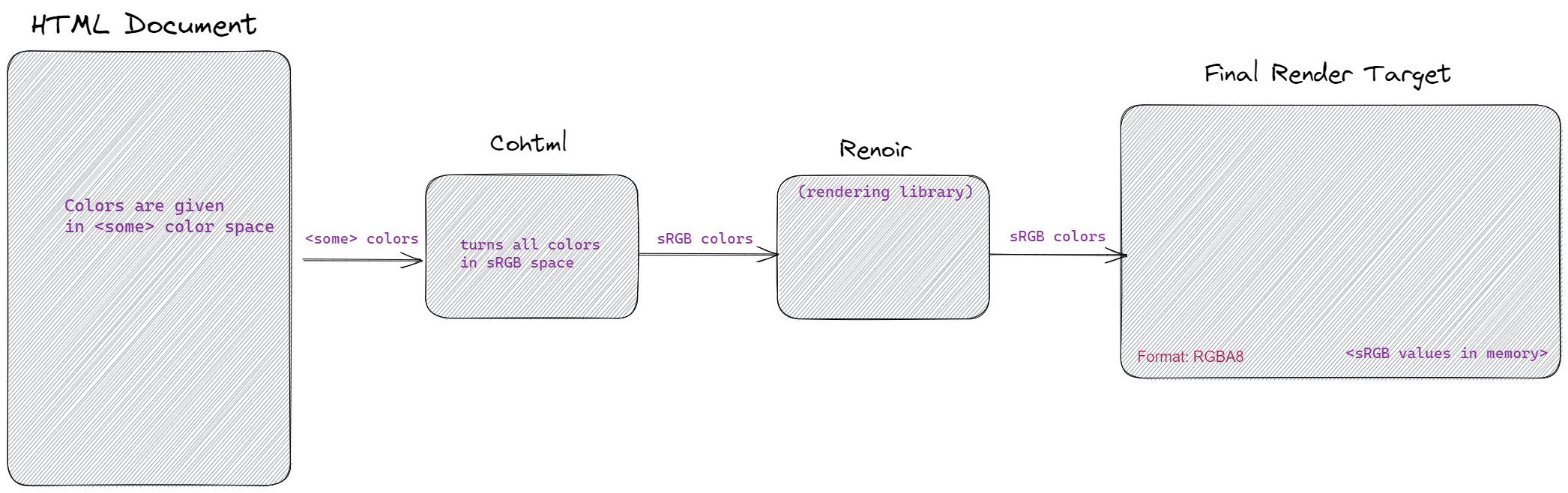
This handling of colors is straightforward to implement but it has the disadvantage that color calculations are not as accurate as possible. For them to be accurate, we have to do the color math in "linear space". Converting from SRGB to linear space is not complicated and with our changes, Renoir can now do it on the fly. Thanks to this we can realize a "linear space rendering pipeline".
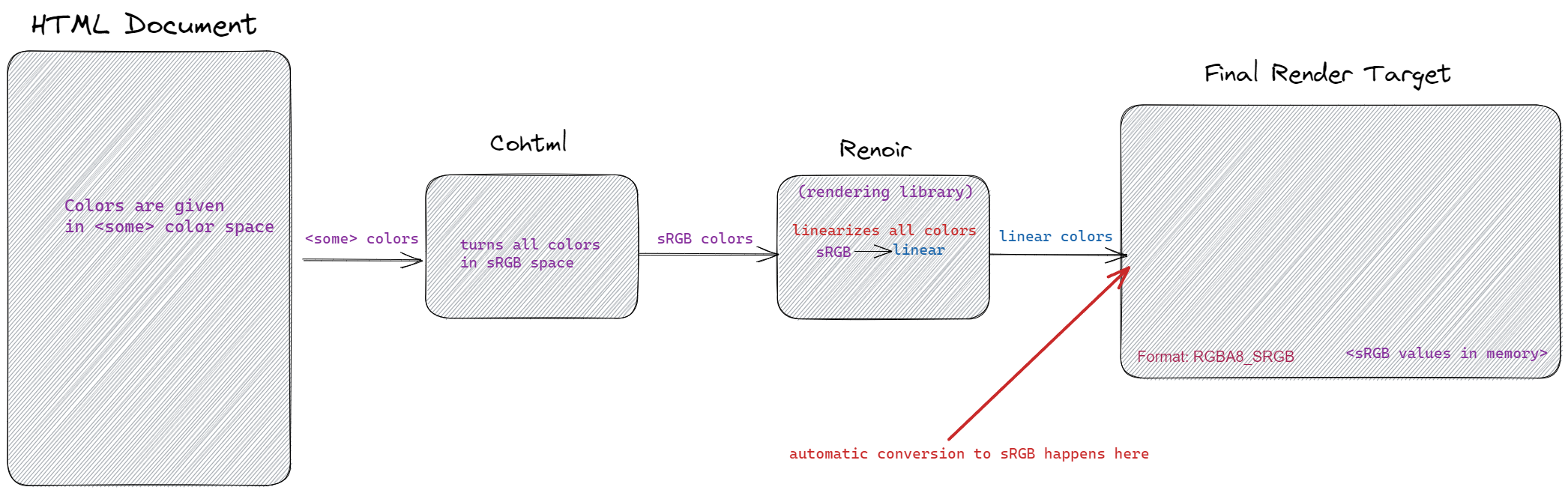
There are several things to note:
- All graphics API that Gameface uses have native support for SRGB render targets. Those textures store gamma-corrected sRGB values but automatically encode and decode from and to linear space when they are written to and read from. Our rendering library can now take advantage of this texture format and do all color calculations in linear space but ultimately stores them in SRGB space in the texture's memory. The linear space pipeline is activated when the given user render target is in an sRGB format. In this case, Renoir will start linearizing all incoming colors. In both cases (of a linear and SRGB pipeline) the stored values in the GPU memory of the textures will be in gamma-corrected SRGB space.
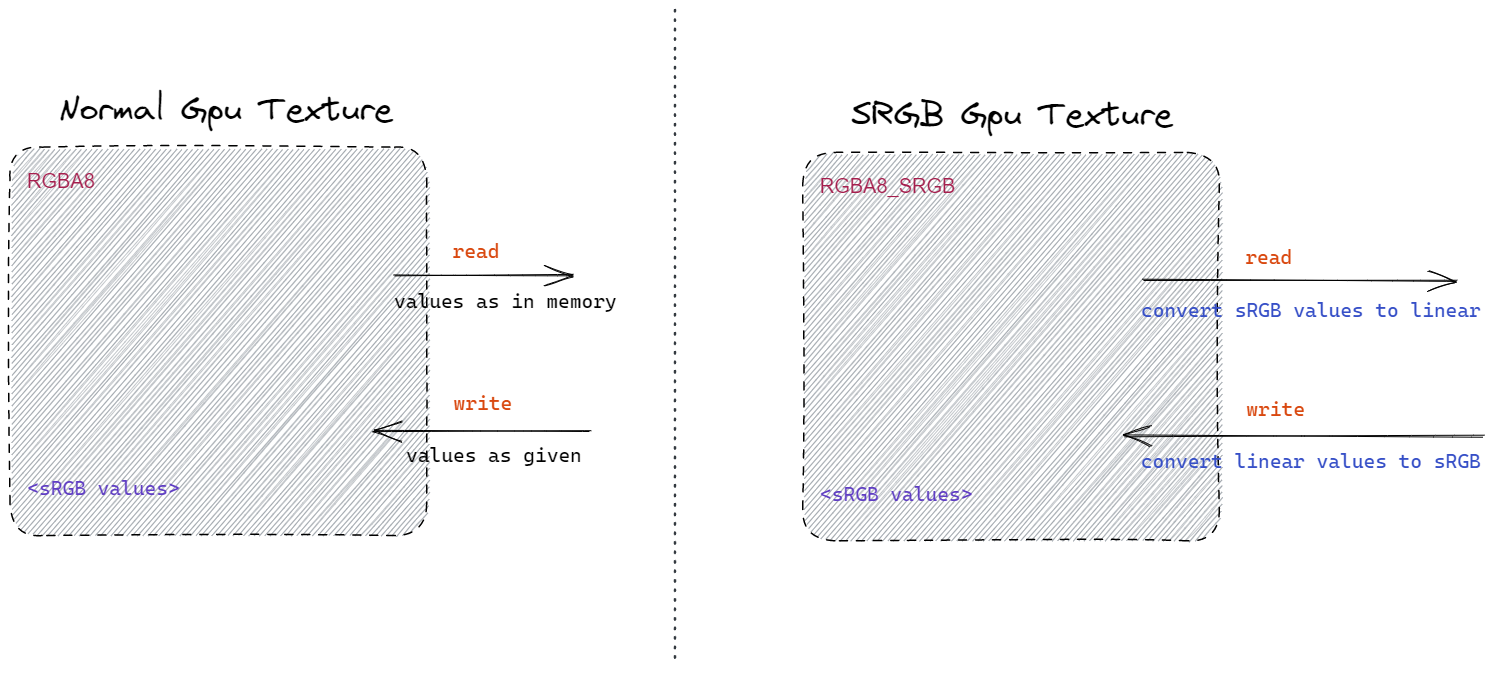
- In both linear and sRGB pipelines, the colors in the CSS can be given in any space -- linear or SRGB. SRGB colors are given through the usual CSS
rgba(...)syntax. For the linear colors, we've implemented the newcolor(...)syntax where one can specify the color space of the given color.
For example
<html>
<head><style>#rect {  width: 100px;  height: 100px;  background-color: color(srgb-linear 0.21 0.0 0.0 / 1.0)}</style></head>
<body><div id="rect"></div></body>
</html>
tells Gameface to interpret the given color as a color in linear space.
Content Development
Section titled “Content Development”The search bar is now positioned sticky
Section titled “The search bar is now positioned sticky”The bar that holds the search input and the version is now positioned sticky at the top when you scroll the page down.

Improved the sidebar menu on smaller screens
Section titled “Improved the sidebar menu on smaller screens”The sidebar menu is now hidden in a different way when previewing the documentation from a mobile device or a device with a smaller screen.
Before, arrows that were toggling the menu visibility were displayed.

Now a hamburger icon is visible and when clicked, the sidebar menu will be opened on the left side of the user's screen.

Re-styled all the headings and checkboxes
Section titled “Re-styled all the headings and checkboxes”Now all the checkboxes and headings are re-styled and have the same design as the rest options in the inspector UI.

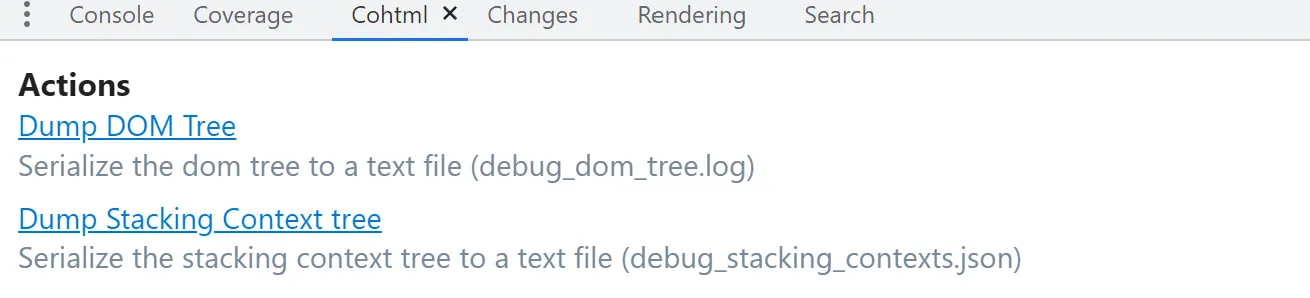
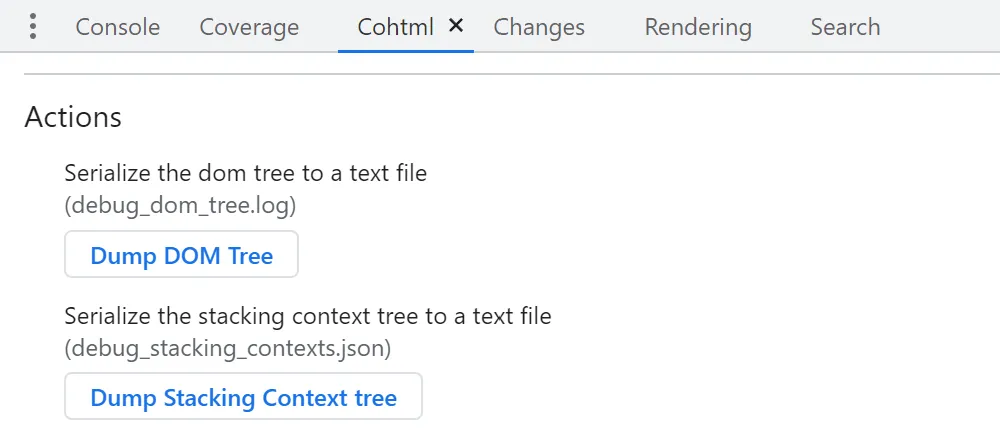
Links to buttons
Section titled “Links to buttons”All the links in the Actions section are now replaced with well-looking buttons.

Re-sizable sections
Section titled “Re-sizable sections”Added a draggable slider that can resize both sections in the Cohtml panel.

Loading indication
Section titled “Loading indication”Clicking on buttons will display a loading indicator while running an operation. When the operation is done a Ready! message will be displayed.
Migration guide
Section titled “Migration guide”Added support for SRGB textures
Section titled “Added support for SRGB textures”Renoir now has a new texture format -- renoir::PF_R8G8B8A8_SRGB -- which represents 32 bit SRGB texture. Sampling from and rendering to such texture automatically decodes and encodes linear colors to and from gamma corrected SRGB color space. Renoir and its backends now support the creation of texture with the new format. SRGB textures will be created when the set user render target (that is passed to cohtml::ViewRenderer::SetRenderTarget ) is with format renoir::PF_R8G8B8A8_SRGB. For more information, see the full documentation on linear pipeline rendering.
© 2026 Coherent Labs. All rights reserved.