

Release Notes 1.52.1
What’s new
Section titled “What’s new”Rendering
Section titled “Rendering”Support for full-color bitmap fonts
Section titled “Support for full-color bitmap fonts”We have added support for full-color bitmap fonts. The flow to add a colorful bitmap font is almost the same as adding a normal single color bitmap font. The only thing that needs to be altered is the cohtml::UserFontDescription font description's FontType to cohtml::Fonts::UFT_ColorBitmap instead of cohtml::Fonts::UFT_Bitmap. Note that the bitmap atlas background has to be transparent if you don't want it to show with the letters. Below are two examples of full-color bitmap font atlases and their text rendering results:
Example 1
Section titled “Example 1”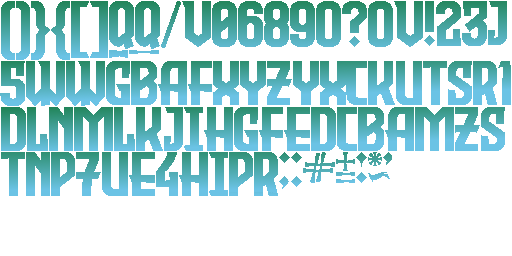
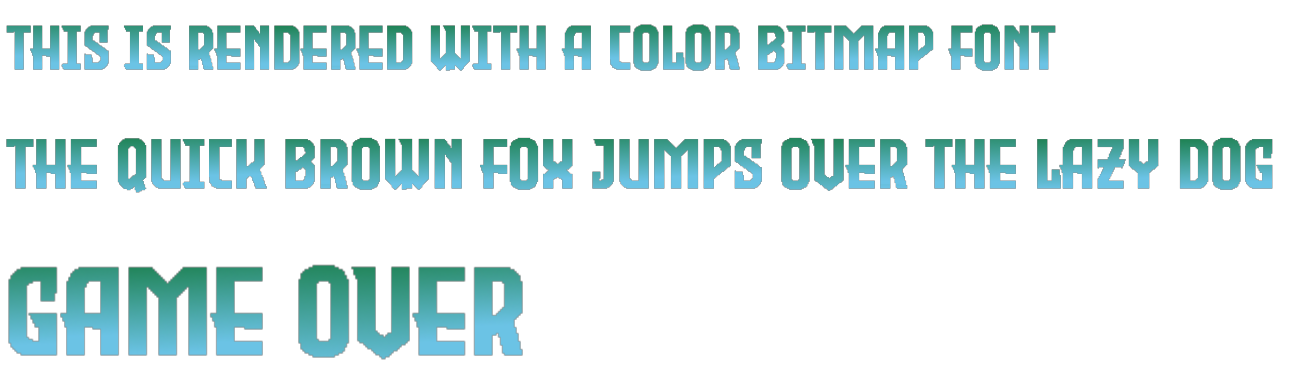
Example 2
Section titled “Example 2”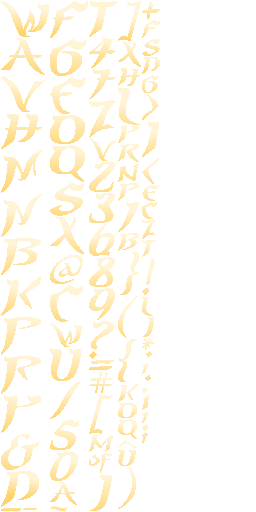

Support for the native plug-in profiler on Unity
Section titled “Support for the native plug-in profiler on Unity”In this release, we have added support for the native plug-in profiler on Unity. The Unity Profiler is a valuable tool for learning more about the performance of your application. You can even test how your application performs on the platform you plan to release it on by connecting to the desired device. To open the Profiler window, go to Window > Analysis > Profiler in the Unity Editor. The Native Plugin API makes it possible to set up callbacks for events in the Unity Profiler. Some other basic functionalities it provides are the ability to create custom profiler markers, check if the profiler is available and enabled, and begin and end a sample. We used the IUnityProfiler interface to add some custom markers for functions from our C++ native plug-in code. This means that now, whenever you are recording profiling information, you can also view details of our markers in the Profiler window. Below is a list of our markers' names and how often they are called:
CohtmlBeginFrame- called once per frame in the beginningCohtmlEndFrame- called once per frame at the endCohtmlDrawView- called every frame when a view needs to be painted (execute graphics commands)CohtmlCreateViewRenderer- called when a view gets createdCohtmlDestroyViewRenderer- called when a view gets destroyedCohtmlDestroyAllViewRenderers- called right before a system gets destroyedCohtmlCreateSystemRenderer- called when a system gets createdCohtmlDestroySystemRenderer- called when a system gets destroyed
Content Development
Section titled “Content Development”Precise Data Binding Updates
Section titled “Precise Data Binding Updates”Sometimes a few properties of a model change much more often than the rest. This makes updating the model less efficient, since properties that have not changed will be marked for an update and will be reevaluated. With Precise Data Binding Updates it is possible to update a specific property of a model.
Migration guide
Section titled “Migration guide”Migrating to 1.52
Section titled “Migrating to 1.52”Shader changes and enhancements
Section titled “Shader changes and enhancements”- With this release, we have added additional per command data information, currently holding details about 2 things, which can be extracted by checking if their respective flag is set:
- If the
PSAF_LinearColorSpaceflag is set, the color space is linear - If the
PSAF_ColorTextAtlasflag is set, the bitmap text is full-color (atlas format is RGBA8)
- If the
These flags are defined inside CohCommonPS.ihlsl, where we've also moved the IS_SET() function, so it can be accessible in more shader files. The ability to check what the color space is inside the shaders aids in writing color space specific shader code. Below is an example of how to extract the information and check if a specific flag is set:
int vs, ps, shaderType;decode(input.VaryingData, vs, ps, shaderType);// ps points to the color that should be used for this pixel// ps + 1 points to a float4 that contains other per command datafloat4 perCommandData = Data_PS[ps + 1];// The additional information is encoded in perCommandData.y// Check if the color space is linearif (IS_SET(int(perCommandData.y), PSAF_LinearColorSpace)){ ...}- We have altered the
CohRenoirShaderPS.hlslshader to apply gradient dithering evenly in linear color space.
Before:
#if defined(APPLY_DITHER) colorTemp += lerp(-NOISE_GRANULARITY, NOISE_GRANULARITY, Random(input.VaryingParam0.xy));#endifAfter:
#if defined(APPLY_DITHER) if (isLinearColorSpace && colorTemp.a != 0.f && colorTemp.a != 1.f) { // Convert linear color to gamma colorTemp.rgb = pow(abs(colorTemp.rgb), 1.f / 2.2f) * sign(colorTemp.rgb); const float4 minMaxColor = colorTemp; // Apply dithering colorTemp += lerp(-NOISE_GRANULARITY, NOISE_GRANULARITY, Random(input.VaryingParam0.xy)); // Avoid generating invalid colors colorTemp = max(colorTemp, min(0.f, minMaxColor)); colorTemp.a = min(colorTemp.a, max(1.f, minMaxColor.a)); // Convert gamma color to linear colorTemp.rgb = pow(abs(colorTemp.rgb), 2.2f) * sign(colorTemp.rgb); } else if (colorTemp.a != 0.f && colorTemp.a != 1.f) { colorTemp += lerp(-NOISE_GRANULARITY, NOISE_GRANULARITY, Random(input.VaryingParam0.xy)); }#endifYou can move the slider in the picture below to see how the noise looks much less noticeable with the new changes in linear color space. The left side is the before, while the right side is the after:


- Improved text rendering and luminance smoothing in different color spaces, as the code previously targeted the gamma color space only. Now, if specified so, our
GetLuminance()function will return the luminance converted from linear color space to gamma.
Before:
float GetLuminance(float3 color){ return 0.2126f * color.r + 0.7152f * color.g + 0.0722f * color.b;}outColor.a = lerp(GetLuminance(outColor.rgb), outColor.a, input.Color.b);⋮const float lum = GetLuminance(input.Color.xyz);outColor = input.Color * pow(abs(dfValue), 1.45f - lum);After:
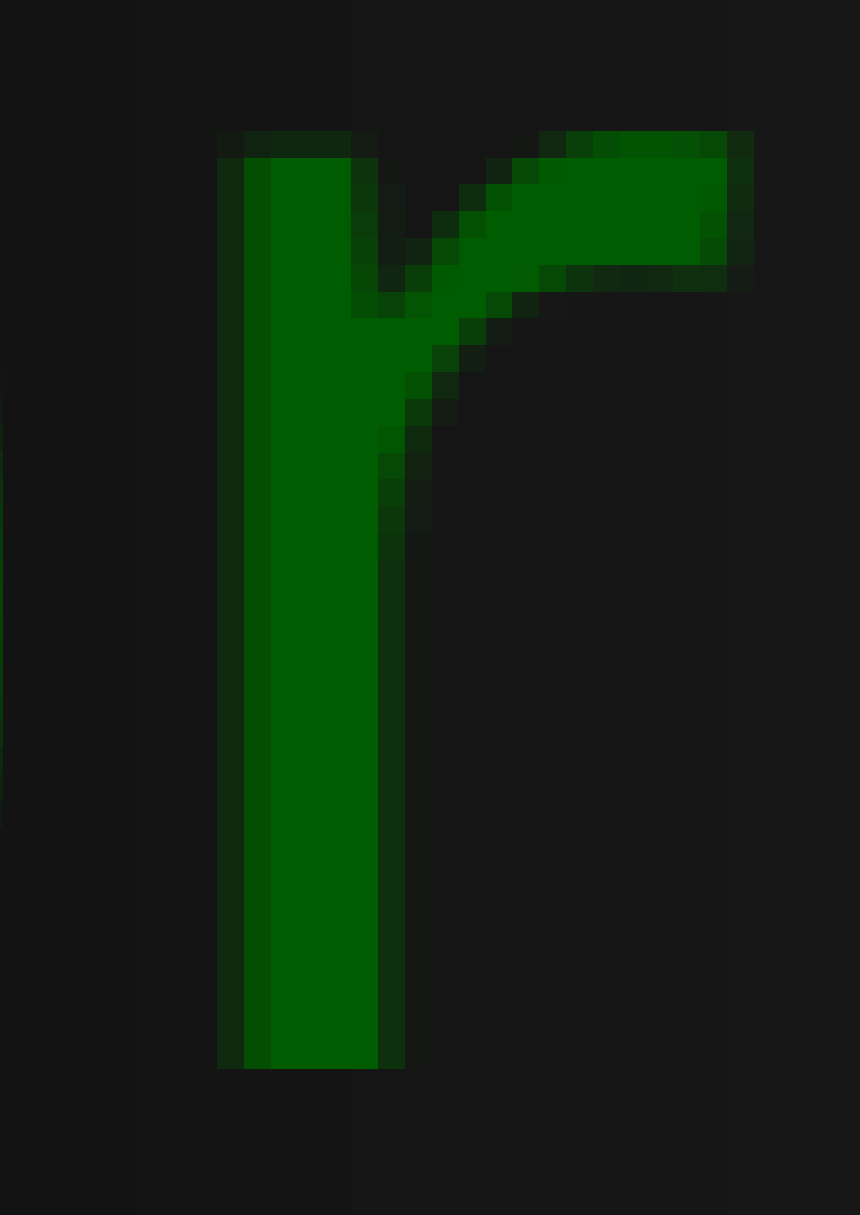
float GetLuminance(float3 color, bool shouldConvertToGamma){ float lum = 0.2126f * color.r + 0.7152f * color.g + 0.0722f * color.b; if (shouldConvertToGamma) { lum = pow(lum, 1.f / 2.2f); } return lum;}outColor.a = lerp(saturate(GetLuminance(outColor.rgb, false)), outColor.a, inColor.b);⋮const float lum = GetLuminance(inColor.xyz, IS_SET(int(perCommandData.y), PSAF_LinearColorSpace));outColor = inColor * pow(abs(dfValue), max(1.45f - lum, 0.f));Move the slider below to see the difference between the luminance on raster text before(left side) and after(right side) the new changes in linear color space:
Experimental GPU tessellation algorithm
Section titled “Experimental GPU tessellation algorithm”We are currently working on an experimental GPU tessellation algorithm for which we introduced a new shader type ST_FillPathAtlas, a new pixel shader type PST_FillPathAtlas, a new vertex type VT_FillPathAtlas and a new renderer capability SupportsSingleChannelMSAATextures. As the algorithm is still in development and is not yet enabled, ST_FillPathAtlas, PST_FillPathAtlas, VT_FillPathAtlas and SupportsSingleChannelMSAATextures can be safely ignored.
Changelog
Section titled “Changelog”Version 1.52.0
Section titled “Version 1.52.0”| API | Removed support for the experimental custom elements V0 API |
| Feature | Added support for full-color bitmap fonts |
| Feature Unity | Added support for the native plug-in profiler in Unity |
| Feature | Allowed Precise Data Binding Updates of data-binding models |
| Enhancement |
|
| Enhancement | Enhance text rendering and luminance smoothing in different color spaces |
| Enhancement | Apply gradient dithering evenly in linear color space |
| Enhancement Unity | Added UI Surface Partitioning support when using CohtmlView inside |
| Enhancement Unity | Added Backdrop Filter when using CohtmlView inside |
| Enhancement Unity | Added default gamepad mapping for common gamepad models for Unity |
| Enhancement Unreal Engine | Improve the reporting of used textures inside the UI |
| Enhancement Unreal Engine | Added support for Surface partitioning feature in Concurrent Advance mode |
| Enhancement Unreal Engine | Added support for Custom Effects feature in Concurrent Advance mode |
| Fix | Fixed string values for CSS properties for border, margins and padding |
| Fix | Fixed wrongly reported scroll values in some cases |
| Fix | Fixed border image property equality comparison bug caused by uninitialized memory |
| Fix | Fixed calling attribute related JavaScript handlers before the attribute on the element is updated |
| Fix | Fixed infinite recursion when setting attributes to their current values in |
| Fix | Fixed a crash when using SVG border images with zero sized border sides |
| Fix | Fixed a case with a wrong draw order of SVG elements after using an |
| Fix | Fixed a crash when an |
| Fix | Fixed wrongly removing the element from the DOM when an |
| Fix | Fixed a crash when descriptors for constant buffers are not enough for Vulkan |
| Fix | Fixed bleeding of big glyphs generated with SDF on the CPU algorithm |
| Fix Unity | Fixed the import/compilation warnings caused by obsolete |
| Fix Unity | Fixed loading of plugin libraries for Unity on Linux |
| Fix | Fixed a crash when making an inspector connection with Visual Studio Code |
| Fix | Fixed Address Sanitizer error on Sony PlayStation when doing |
| Fix | Fixed using |
| Fix Unreal Engine | Fixed rendering artifacts on Sony PlayStation 5 |
© 2026 Coherent Labs. All rights reserved.