

Data-binding
The data binding feature allows you to modify the UI based on the current state of the game. To better understand how the data binding works, please refer to the corresponding content creation docs. This document only describes how to use it in Unreal Engine.
Overview of the process
Section titled “Overview of the process”Let’s say that you want to display the player’s health somewhere in the UI. On the game side, this feature requires you to do 3 things.
Step 1 - Create a model
Section titled “Step 1 - Create a model”You need to tell Prysm what game objects you’d like to expose. Any such exposed object we call a data model.
-
Blueprint Editor
- Call the
UCohtmlBaseComponent::CreateDataModelFromStruct/UCohtmlBaseComponent::CreateDataModelFromObjectdepending on whether you want to expose aUObjectinstance, or aUSTRUCT.
- Call the
-
C++
- The same can be achieved with
cohtml::View::CreateModel:
- The same can be achieved with
ACharacter* Player = GetPlayerCharacter(); CohtmlComponent->GetView()->CreateModel("player", Player);Get(a copy) vs Get(a ref) when using Blueprint struct objects
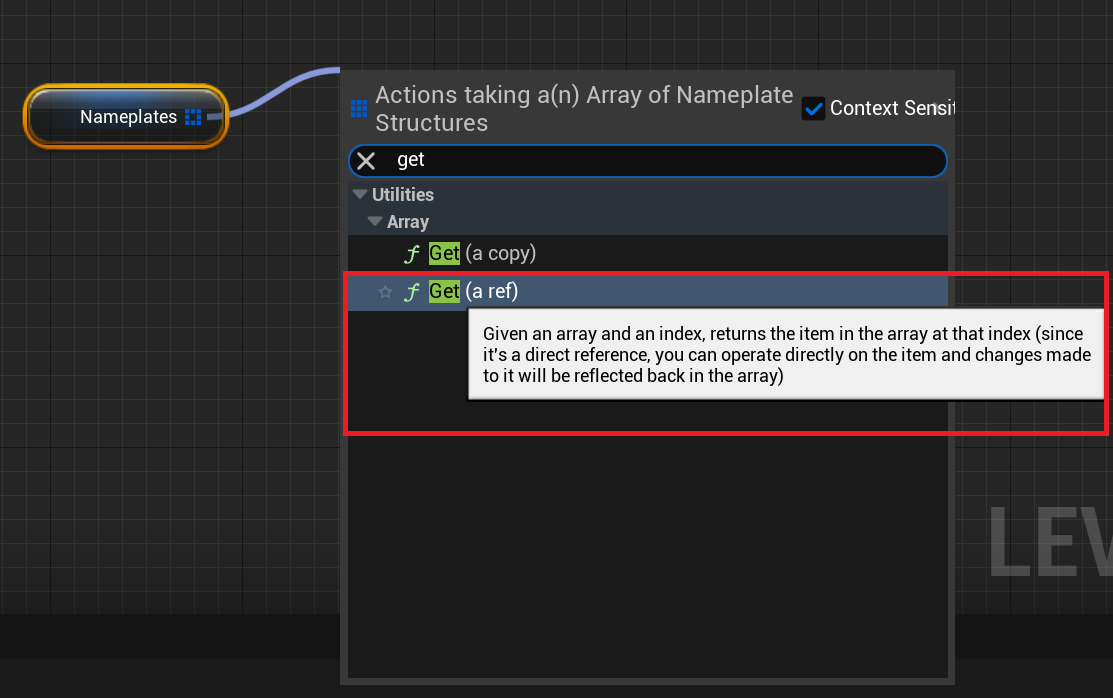
Section titled “Get(a copy) vs Get(a ref) when using Blueprint struct objects”If you use a Get(a copy) node when iterating a collection of Blueprint struct objects and attempt to create a data model for them, Prysm will prevent you from doing that by ignoring the CreateModel call, because internally Unreal Engine copies each object data over to the same memory address “buffer”, which would cause incorrect data-binding behavior.
Step 2 - Update the model
Section titled “Step 2 - Update the model”Next, when something in your model has changed in the game, you need to tell Prysm that it needs to be updated in the UI.
- Blueprint Editor
- Use
UCohtmlBaseComponent::UpdateWholeDataModelFromStruct/UCohtmlBaseComponent::UpdateWholeDataModelFromObject.
- Use
- C++
- Use
cohtml::View::UpdateWholeModel:
- Use
ACharacter* Player = GetPlayerCharacter(); CohtmlComponent->GetView()->UpdateWholeModel(Player);Step 3 - Tell the UI you are ready for the frame
Section titled “Step 3 - Tell the UI you are ready for the frame”Calling the update methods from the previous step does not actually update the UI - these methods only mark certain pieces of it as dirty (the models). To avoid constant UI updates, this is done in another method that walks through all elements (models) that need updates and syncs them with the game - SynchronizeModels.
- Blueprint Editor
- Use
UCohtmlBaseComponent::SynchronizeModels.
- Use
- C++
- Use
CohtmlComponent->GetView()->SynchronizeModels();which internally callscohtml::View::SynchronizeModels.
- Use
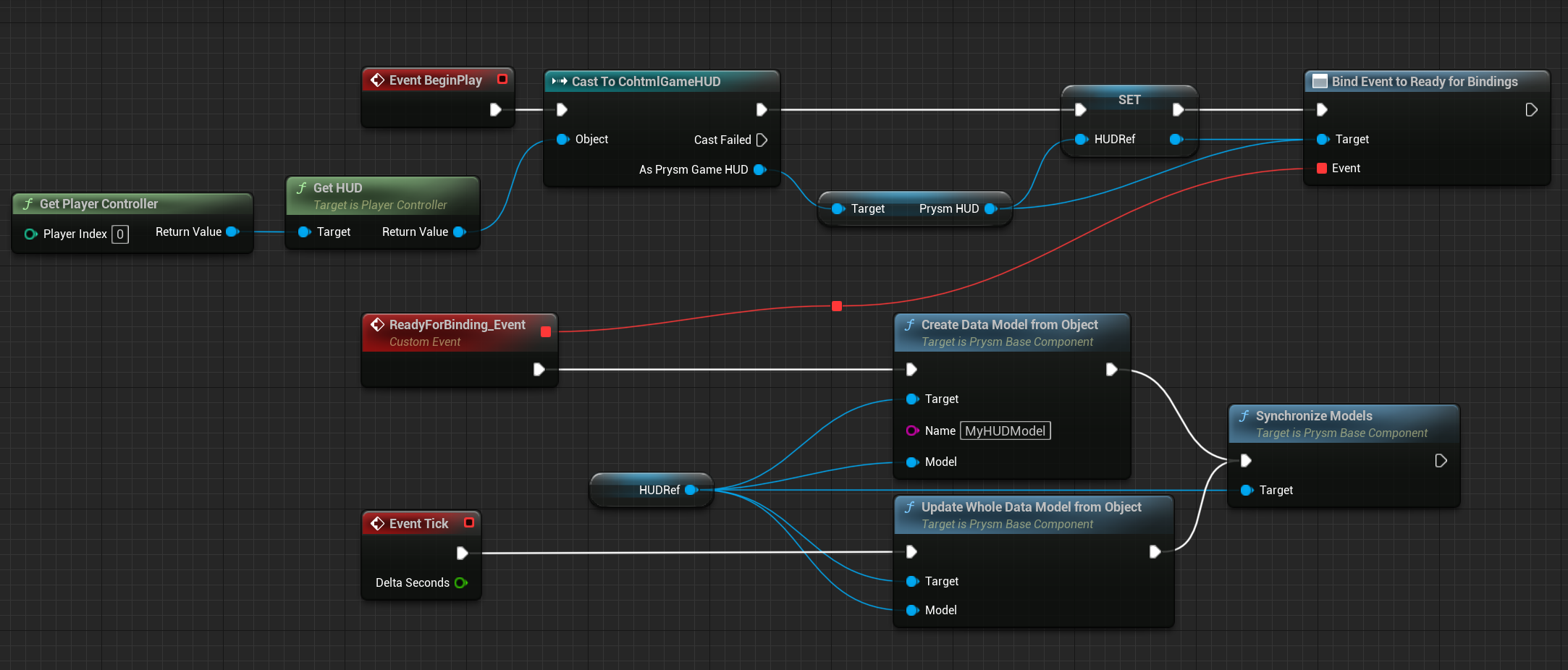
A complete Blueprint script may look like this:
Data model and DOM desynchronization warning
Section titled “Data model and DOM desynchronization warning”While you have full control over when to call the SynchronizeModels API, keeping your data model and the DOM perfectly in sync requires attention to two common scenarios: updates to the data model and updates to the DOM.
When the Data Model Changes
Section titled “When the Data Model Changes”When your underlying data model updates, simply call SynchronizeModels right before calling Advance on your view. This ensures your DOM accurately reflects the latest data.
When the DOM Changes
Section titled “When the DOM Changes”Desynchronization can also occur if JavaScript modifies the DOM (for example, by changing data-binding properties) after you have already called SynchronizeModels and Advance within the same frame.
If this happens, it will trigger the following warning:
How to Resolve the Warning
Section titled “How to Resolve the Warning”To resolve this warning and ensure proper synchronization, manually call SynchronizeModels within either the engine.whenReady or DOMContentLoaded event listener. Both approaches will achieve the same result.
engine.whenReady.then(() => { // Call SynchronizeModels after DOM modifications to ensure everything is up to date engine.synchronizeModels();});© 2026 Coherent Labs. All rights reserved.